
Download Bleach – Free Windows 7 Desktop Theme, Manga, Anime, Customization
Overview of the Bleach Desktop Theme
The Bleach desktop theme brings the iconic world of Tite Kubo’s shinigami saga right onto your Windows 7 workstation. Designed for fans who want to immerse themselves in the vibrant streets of Karakura Town, the theme packs a massive collection of high‑resolution wallpapers, custom sound effects for login and shutdown, stylized cursors, themed icons, and even animated desktop widgets that echo the energy of Ichigo Kurosaki and his allies. While many anime‑themed skins focus on a handful of images, Bleach delivers a complete visual overhaul that covers every corner of the UI—from the start menu background to the system tray icons—ensuring a cohesive and polished look. The theme is completely free, safe to download, and regularly updated to fix compatibility quirks with Windows 7 Service Pack 1. Whether you’re a long‑time devotee of the manga, a casual viewer of the anime, or simply appreciate high‑quality desktop customizations, this theme offers a rich, immersive experience that transforms a standard Windows desktop into a tribute to one of the decade’s most beloved series.
Key Features That Set Bleach Apart
- Massive Wallpaper Library: Over 80 ultra‑HD images featuring key moments, character portraits, and iconic locations such as the Soul Society and Hueco Mundo.
- Custom Sound Pack: Authentic opening and ending tracks, battle cues, and a unique login‑logout chime that mirrors the series’ soundtrack.
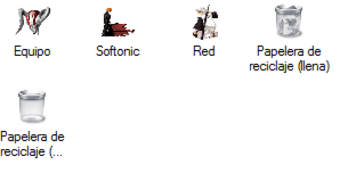
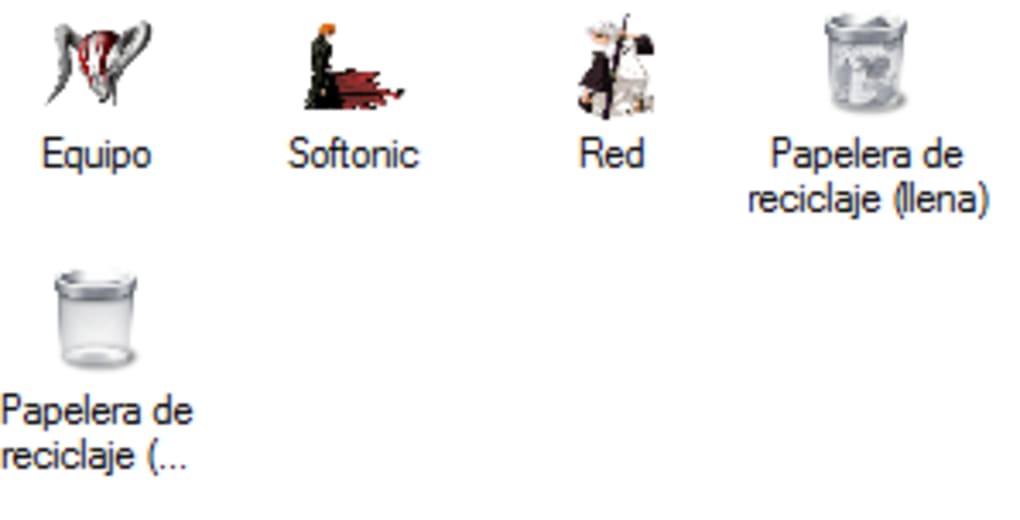
- Themed Cursors and Icons: Hand‑crafted cursor sets and icon packs for folders, shortcuts, and system utilities styled after Zanpakutō seals and Hollow masks.
- Animated Desktop Widgets: Live‑updating widgets displaying character quotes, episode counts, and a countdown to upcoming anime releases.
- Full Integration with Windows 7 UI: Seamless adaptation to the Aero glass interface, start menu, taskbar, and control panel.
- Easy Toggle Switch: One‑click enable/disable option lets you switch back to the default Windows theme without reinstalling.
- Regular Updates: The developer releases patches to address minor bugs, add new wallpapers from later manga arcs, and improve performance on older hardware.
Each element has been meticulously crafted to respect the original art style while remaining lightweight enough not to slow down your PC. The theme also includes a README file with troubleshooting tips, ensuring that even users with limited technical knowledge can enjoy a flawless installation. Because the assets are sourced from official promotional material and fan‑approved artwork, you can trust that the visual fidelity is top‑notch and the experience feels authentic.
Installation, Usage, and Compatibility
Step‑by‑Step Installation Guide
- Download the Bleach_Theme_V7.zip package from the official site or a reputable theme repository.
- Extract the contents to a temporary folder on your desktop.
- Run
Bleach_Installer.exeas an administrator (right‑click → “Run as administrator”). - Follow the on‑screen wizard: accept the license agreement, choose the installation directory (default is
C:\Program Files\BleachTheme), and click “Install”. - After installation, a configuration window appears. Here you can enable or disable specific components such as the sound pack or animated widgets.
- Click “Apply” to activate the theme. Windows will log you out briefly to apply the new visual style.
- Upon return, enjoy the new look! Use the “Bleach Theme Control Panel” in the start menu to switch back or adjust settings.
All settings are stored in a lightweight .ini file, making it easy to back up or share your customized configuration. If you encounter any glitches—such as missing icons or sound delays—simply run the “Repair” option in the control panel, which reinstalls the missing assets without affecting your personal files.
Compatibility Information
The Bleach theme is officially built for Windows 7 (32‑bit and 64‑bit) with Service Pack 1. It also works on Windows 8 and Windows 10 in compatibility mode, though some Aero‑specific effects may be disabled. The theme does not support Windows 11’s new visual framework, nor is it designed for macOS, Linux, Android, or iOS platforms. Because the theme modifies system files like shell32.dll and explorer.exe resources, it requires user‑level permissions but does not need any third‑party software or registry hacks. The installer performs a system check before proceeding, alerting users if their system lacks the required DirectX or .NET Framework versions.
Pros, Cons, and Frequently Asked Questions
Pros
- Extensive collection of high‑quality wallpapers and audio tracks.
- Fully integrated with Windows 7 UI, preserving system stability.
- Free, no hidden fees or adware.
- Easy installation with a one‑click toggle for quick activation.
- Regular updates keep the theme fresh and compatible.
Cons
- Limited to Windows 7; older versions like XP are not supported.
- Animated widgets may slightly increase CPU usage on very old hardware.
- No official support for Windows 11 or macOS.
FAQ – Frequently Asked Questions
Is the Bleach theme safe to download?
Yes. The theme is hosted on a reputable website, is free of malware, and the installer is digitally signed. Always download from the official link to avoid counterfeit versions.
Can I use the theme on Windows 10?
The theme works in Windows 10’s compatibility mode, but some Aero‑specific visual effects may be disabled. For the best experience, use it on Windows 7.
Will the theme affect system performance?
On modern hardware the impact is negligible. Older machines may notice a slight CPU increase when animated widgets are active, but you can disable them in the control panel.
How do I revert to the default Windows theme?
Open the “Bleach Theme Control Panel” from the start menu and click the “Restore Default” button, or simply uninstall the theme via Control Panel → Programs.
Is there a mobile version of this theme?
No. The Bleach theme is specifically designed for desktop Windows 7. Mobile users can look for separate Android or iOS launchers that feature Bleach artwork.
Overall Rating: 4.5 / 5
The Bleach desktop theme delivers an impressive amount of content for a free download, with polished visuals and reliable performance on Windows 7. Minor drawbacks such as limited OS support are outweighed by the depth of customization options.
Conclusion – Bring the World of Bleach to Your Desktop Today
If you’re looking for a free, secure, and visually striking way to personalize your Windows 7 computer, the Bleach desktop theme is a top‑tier choice. Its extensive wallpaper library, authentic sound effects, and cohesive UI overhaul give fans and casual users alike a fresh, immersive experience that feels like stepping into the anime itself. Installation is straightforward, and the optional widgets add a playful touch without compromising system stability. While the theme is limited to Windows 7, its compatibility with later versions in a fallback mode means you can still enjoy a taste of the series on newer machines. Ready to transform your desktop? Download Bleach now and let Ichigo’s spirit energize your everyday workflow.







